Project @Devtown
Learning And
Management System (LMS)
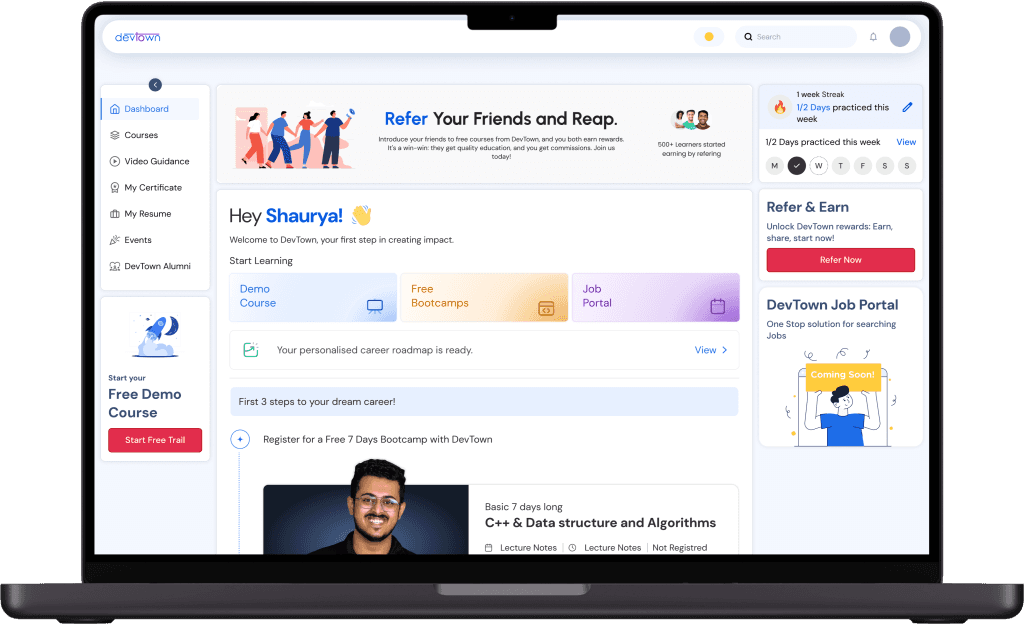
Empowering Educators, DevTown’s LMS simplifies course creation, enhances student interaction, and streamlines administrative tasks—all in one seamless platform.
Project Overview
The Learning and Management System (LMS) for DevTown was developed to cater to the needs of both paid and non-paid users, focusing on providing an efficient, modern, and user-friendly platform. DevTown is an education and research-based company offering online tech courses and free bootcamps. The LMS was designed to improve user engagement, streamline workflows, and provide better support for both students and administrators.
Project timeline
Tools Used
Objectives and Goals
The LMS redesign aimed to modernize the interface, enhance student engagement, and streamline course management for educators. Key goals included introducing interactive features like forums, live chat, and gamification, improving accessibility across devices, and personalizing learning experiences. Advanced analytics were integrated to track performance and support data-driven decisions, creating a unified, user-friendly platform for learners and administrators.
Problem & Solution
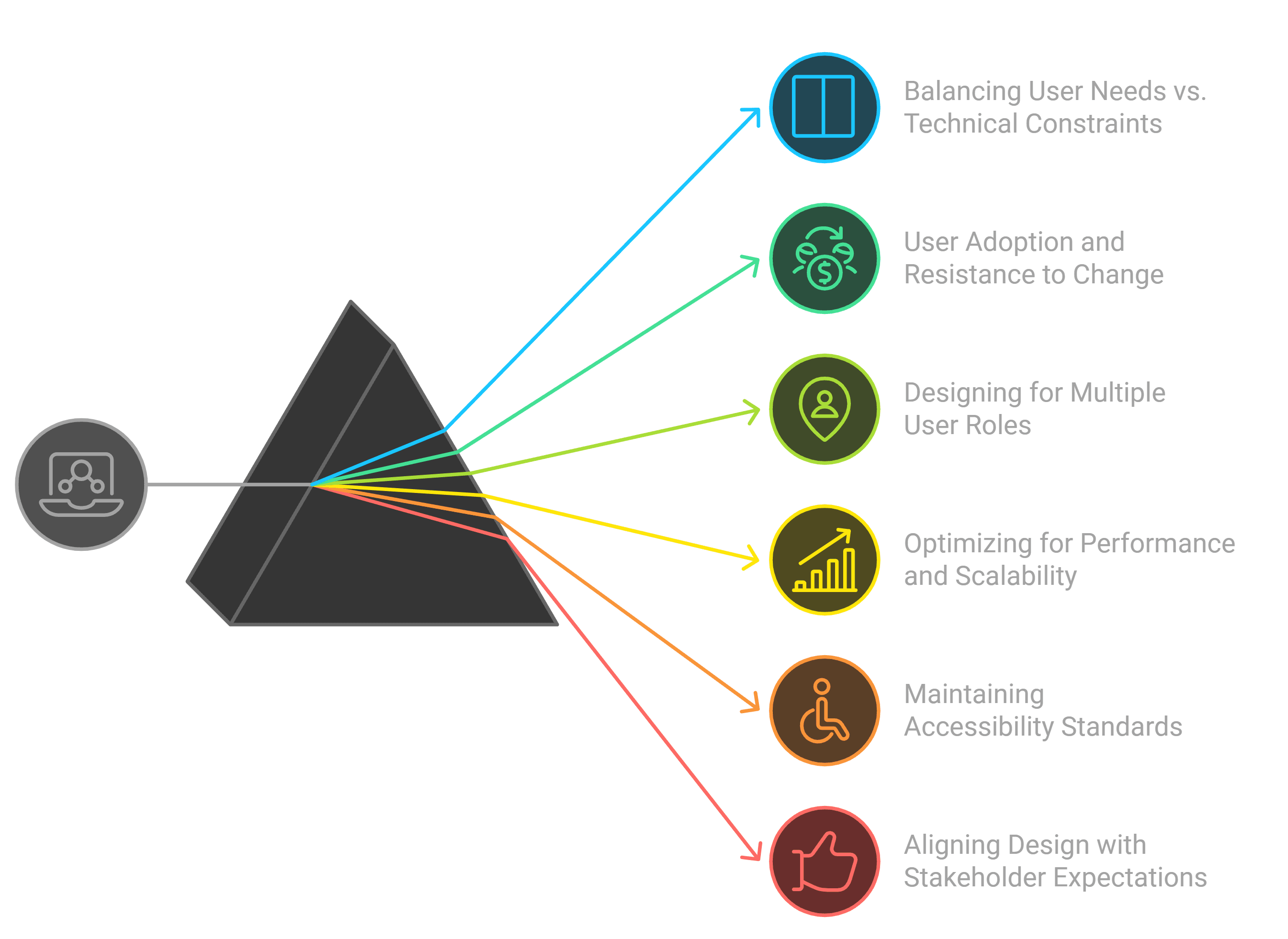
DevTown’s LMS was outdated and lacked the features necessary to engage students, support instructors, and streamline administrative tasks. The platform was difficult to navigate, lacked interaction tools, and failed to provide seamless support for users.
Key Challenges:
•
Student Engagement: Limited interactivity and community features.
•
Course Management: Inefficient tools for instructors and admins.
•
User Interface: Outdated, cluttered, and non-intuitive design.
•
Student Support: Slow response times and lack of immediate assistance.
Solution:
To address these challenges, I redesigned the LMS with a focus on user engagement, streamlined course management, and a modern interface. Key improvements included:
•
Enhanced Engagement: Features like discussion forums and live chat were integrated to increase student interaction.
•
Streamlined Management: Admin and instructor tools were made more efficient, including features like scheduling and automated reminders.
•
Modern Interface: A new, clean design was introduced with easy-to-navigate layouts and consistent branding.
•
Improved Support: Quick-access live chat and video conferencing options for instant student support.
User Flow
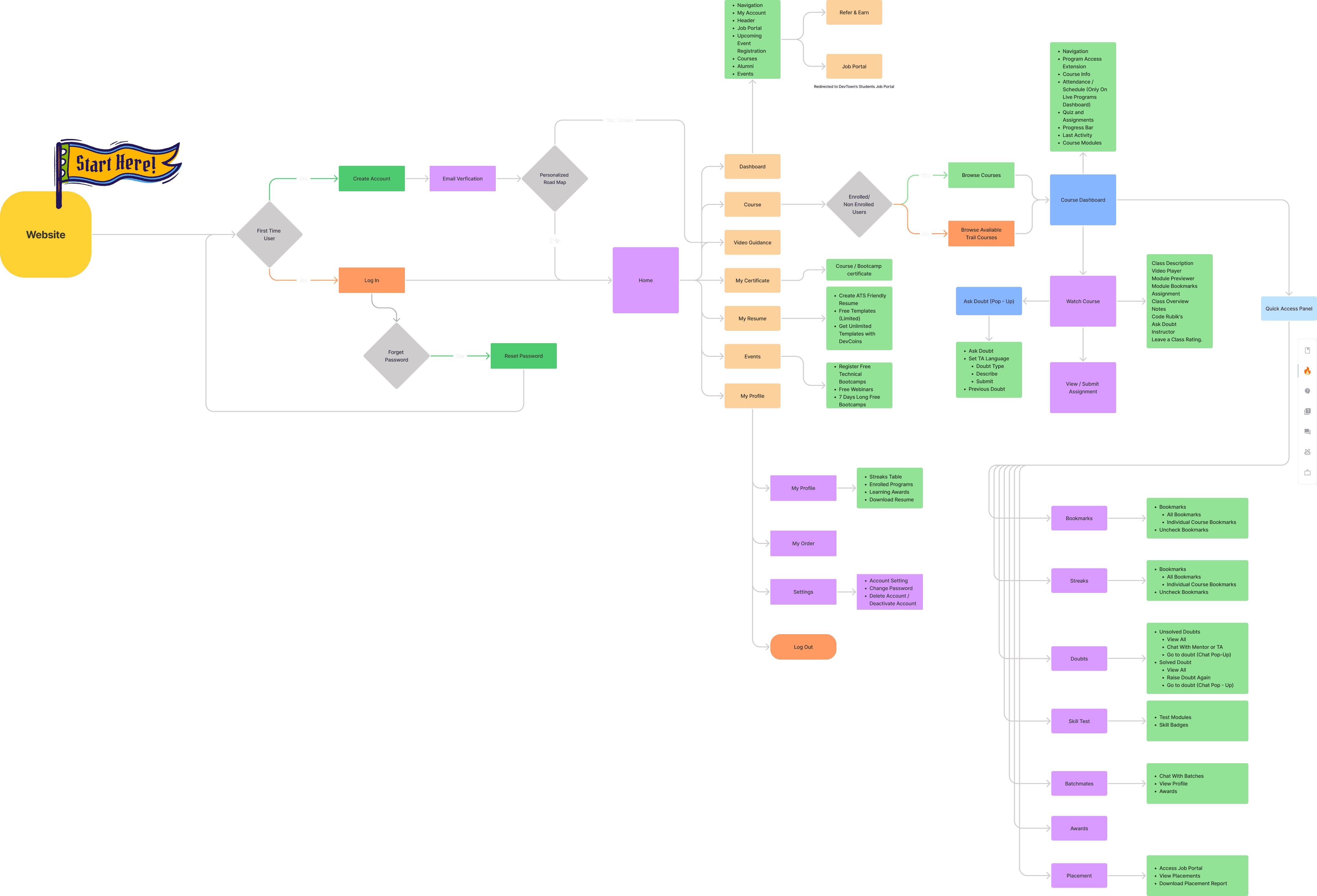
End User Flow
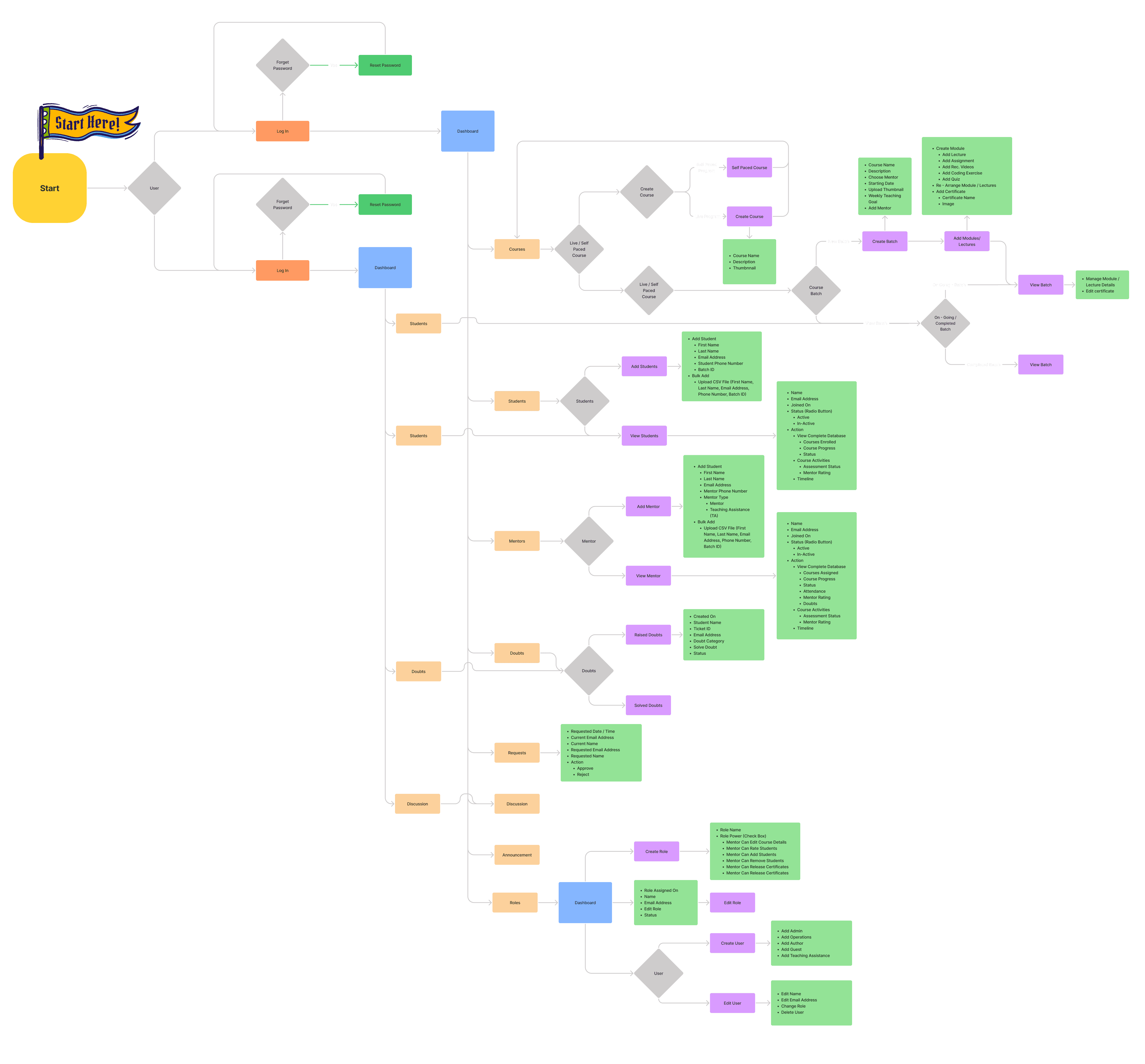
Admin Flow
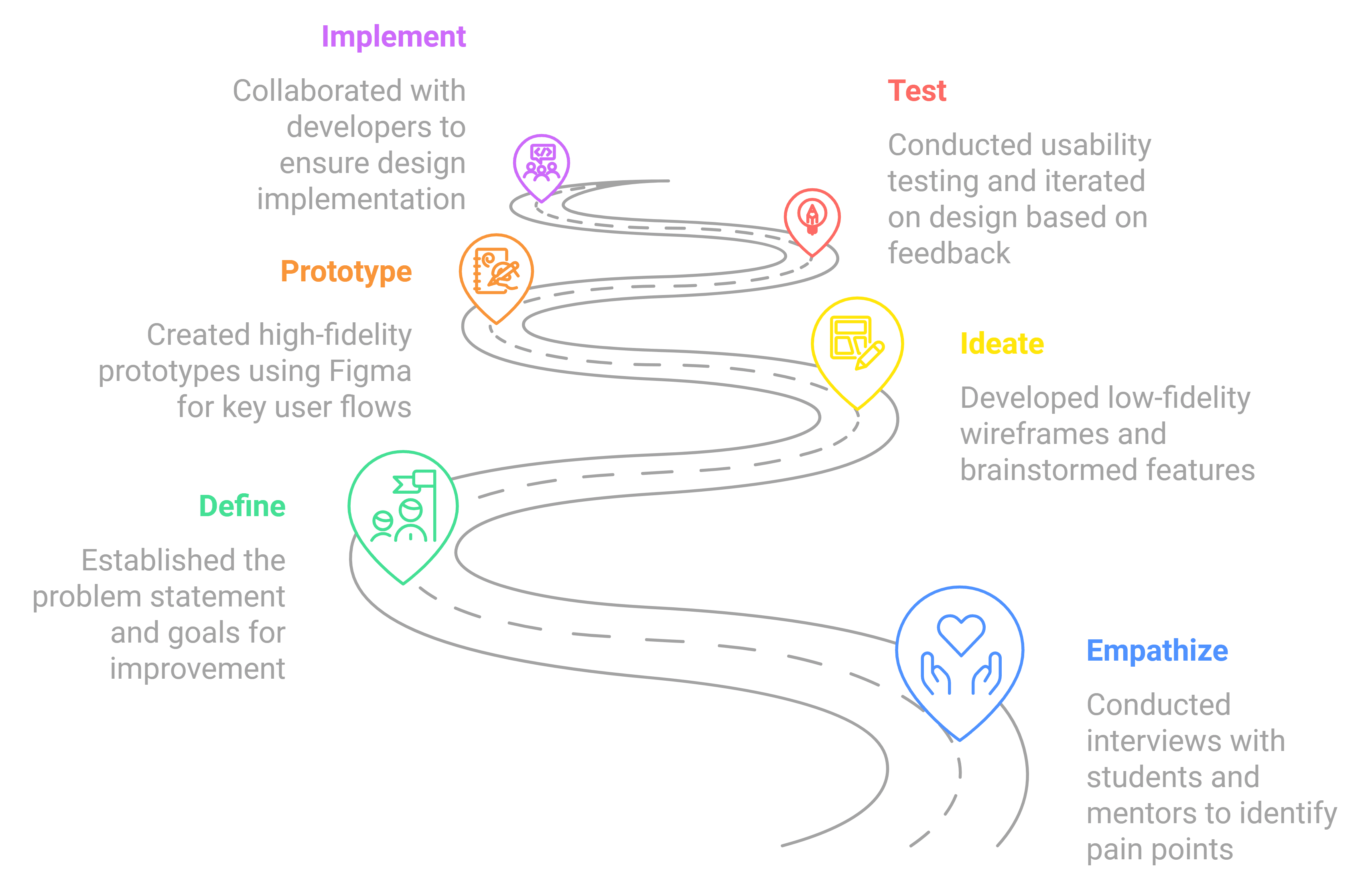
Our design process
Empathize
Conducted interviews with 100+ students (both enrolled and non-enrolled) and 10+ mentors. Key pain points included difficulty in tracking progress and limited student support. Research insights were used to create detailed user personas and inform design decisions.
Define
Problem Statement: The existing LMS lacked engagement features and efficient management tools. User Journey Maps and Personas highlighted key areas for improvement in both user engagement and workflow efficiency.
Ideate
Low-fidelity wireframes for key features, such as the student dashboard and admin panel. Brainstormed with stakeholders on necessary features like live chat, community forums, and scheduling tools.
Prototype
Developed high-fidelity prototypes using Figma. Interactive designs for key user flows, including course enrollment and live class access, were created and tested.
Test
Conducted usability testing with students, mentors, and admins. Iterated on design based on feedback, particularly focusing on simplifying navigation.
Implement
Collaborated with developers to implement the final design, ensuring the design vision was adhered to. Provided design specifications and conducted regular QA checks.
Launch & Monitor
After launch, I collected user feedback and tracked engagement metrics to refine the LMS. Prioritized a list of enhancements for future versions based on post-launch insights.
Business challenges
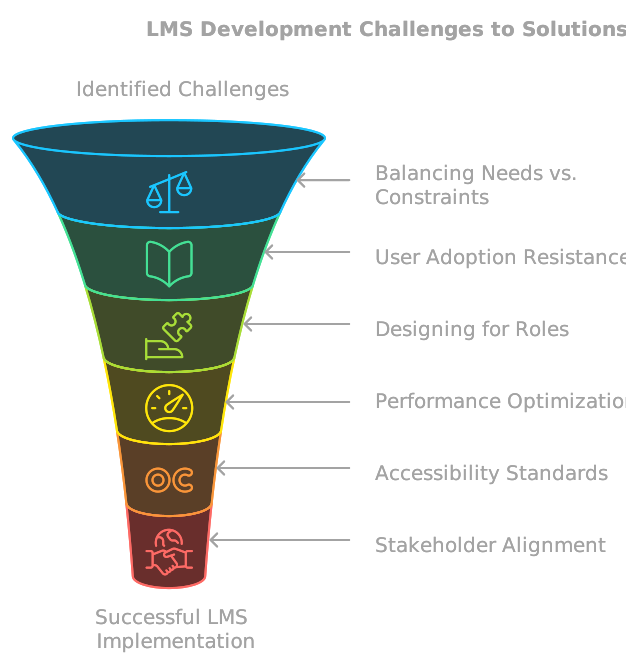
Students dropping off courses mid-way due to unclear progress tracking and lack of engagement features.
Mentors struggling with course management and operational inefficiencies, leading to delayed sessions and unsatisfied learners.
Admins overwhelmed by manual processes, including student and mentor onboarding, role assignments, and technical support.
Ineffective communication tools leading to fragmented interactions between students, mentors, and teams.
Limited insights and analytics preventing data-driven decisions to improve course content and user experience.
Inadequate personalization features, reducing user satisfaction and retention.
Quantitative research
70%
of students faced challenges in tracking course progress.
60%
of students preferred mobile-friendly access to resources.
80%
of non-enrolled users found it difficult to locate free resources quickly.
90%
of admins struggled with inefficient workflows for content management.
Emphatize
This foundational phase focuses on understanding the needs, frustrations, and behaviors of the target users, enabling the identification of critical pain points and opportunities for improvement.
Target Users
Students:
Aged 18–30, pursuing education or skill development alongside studies or jobs.
Primarily use the LMS for accessing course materials, live sessions, and progress tracking.
Seek quick resolutions for doubts and clear learning roadmaps.
Mentors:
Aged 25–45, experienced professionals conducting online sessions.
Use the LMS for managing classes, assignments, and student progress.
Require efficient tools to streamline operational tasks and enhance teaching impact.
Admins:
Aged 30–50, responsible for platform management and user support.
Focus on creating courses, managing roles, and resolving technical issues.
Need comprehensive dashboards and automation for administrative efficiency.
User interviews
What led to missed scheduled classes?
I missed several live classes due to a lack of automated reminders and scheduling conflicts.

Aditi Sharma
Software Engineer Intern
Why do you find managing communities difficult?
Handling multiple groups for different batches is overwhelming, and there’s no unified platform to stay organized.

Neha Kapoor
Mentor
What challenges do you face with content creation?
I often feel that there’s too much back-and-forth with the admin team, and I’d prefer more autonomy in managing my resources.

Neha Kapoor
Mentor
What challenges do you face with tracking course progress?
The interface makes it difficult to know which lessons I’ve completed or what’s next.

Rohan Mehta
College Student
What issues arise during team collaboration?
It’s hard to monitor live classes and assess student progress due to the lack of real-time insights.

Arjun Gupta
LMS Administrator
How do you feel about onboarding new features?
Adapting to updates is challenging without clear guidance or tutorials, which causes unnecessary delays.

Priya Verma
Non-Enrolled User
Core Features for Seamless Learning & Mentorship
Student-Centric Features
Dashboard & Course Schedule
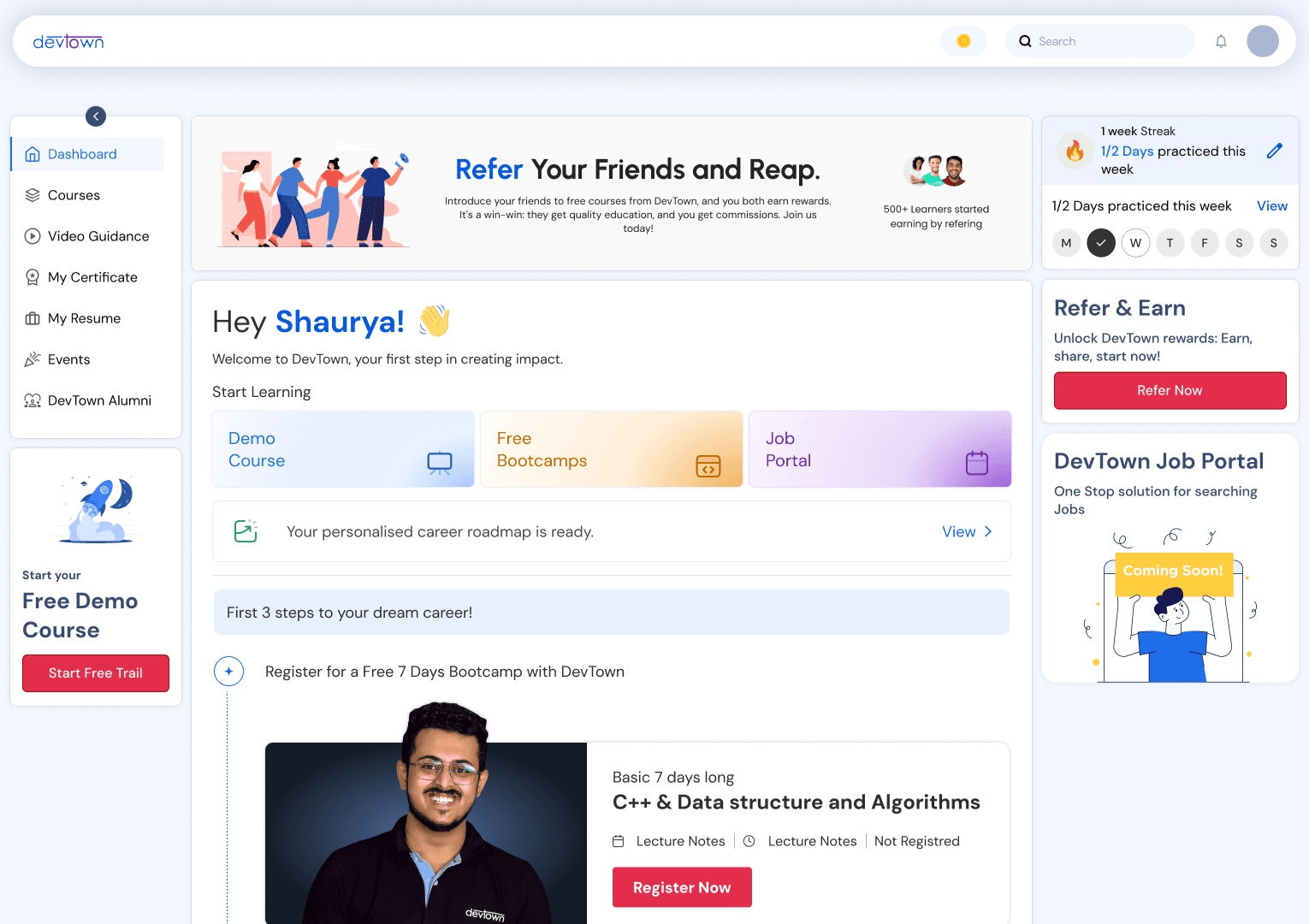
New Platform Dashboard
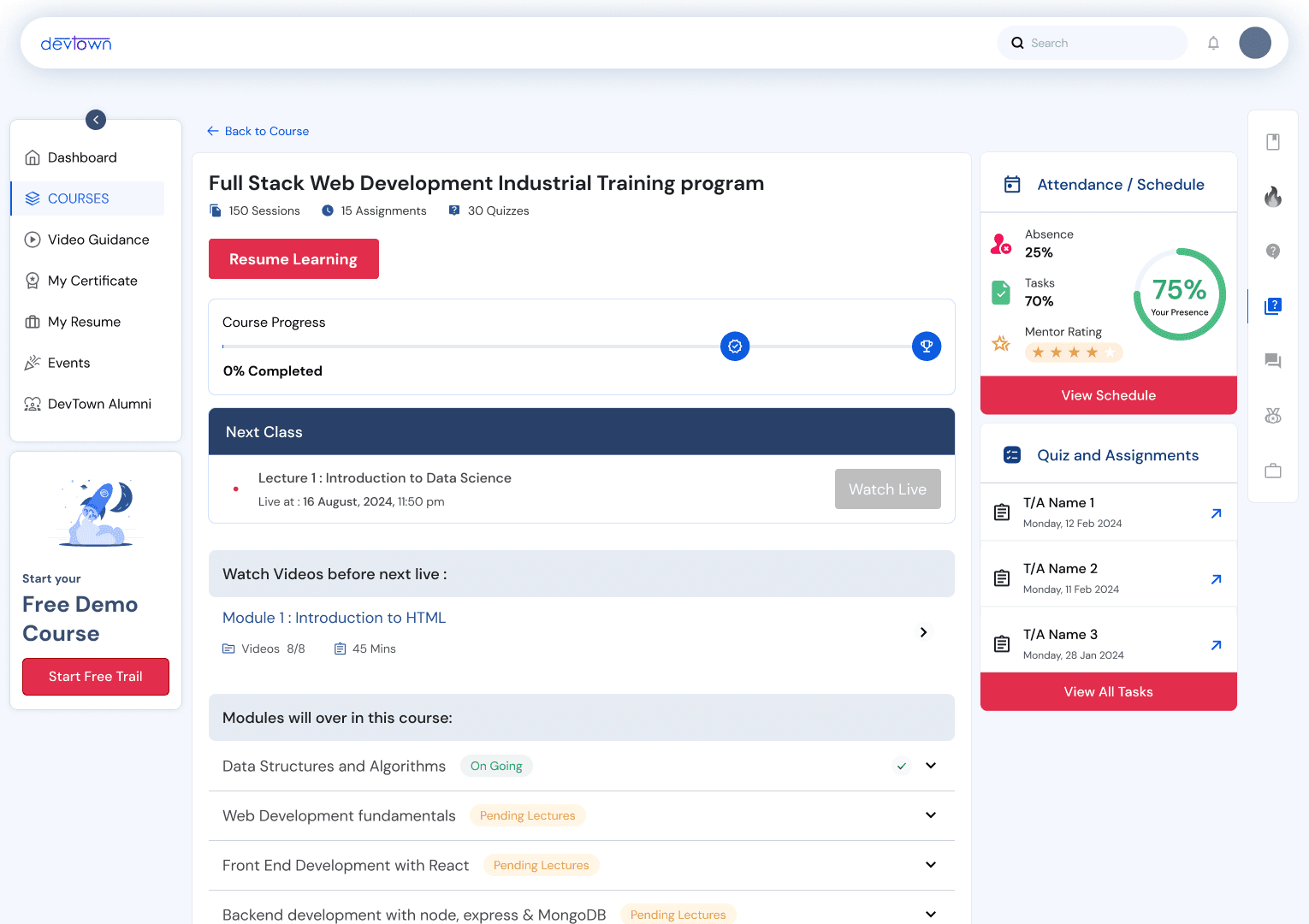
Course Dashboard
Course
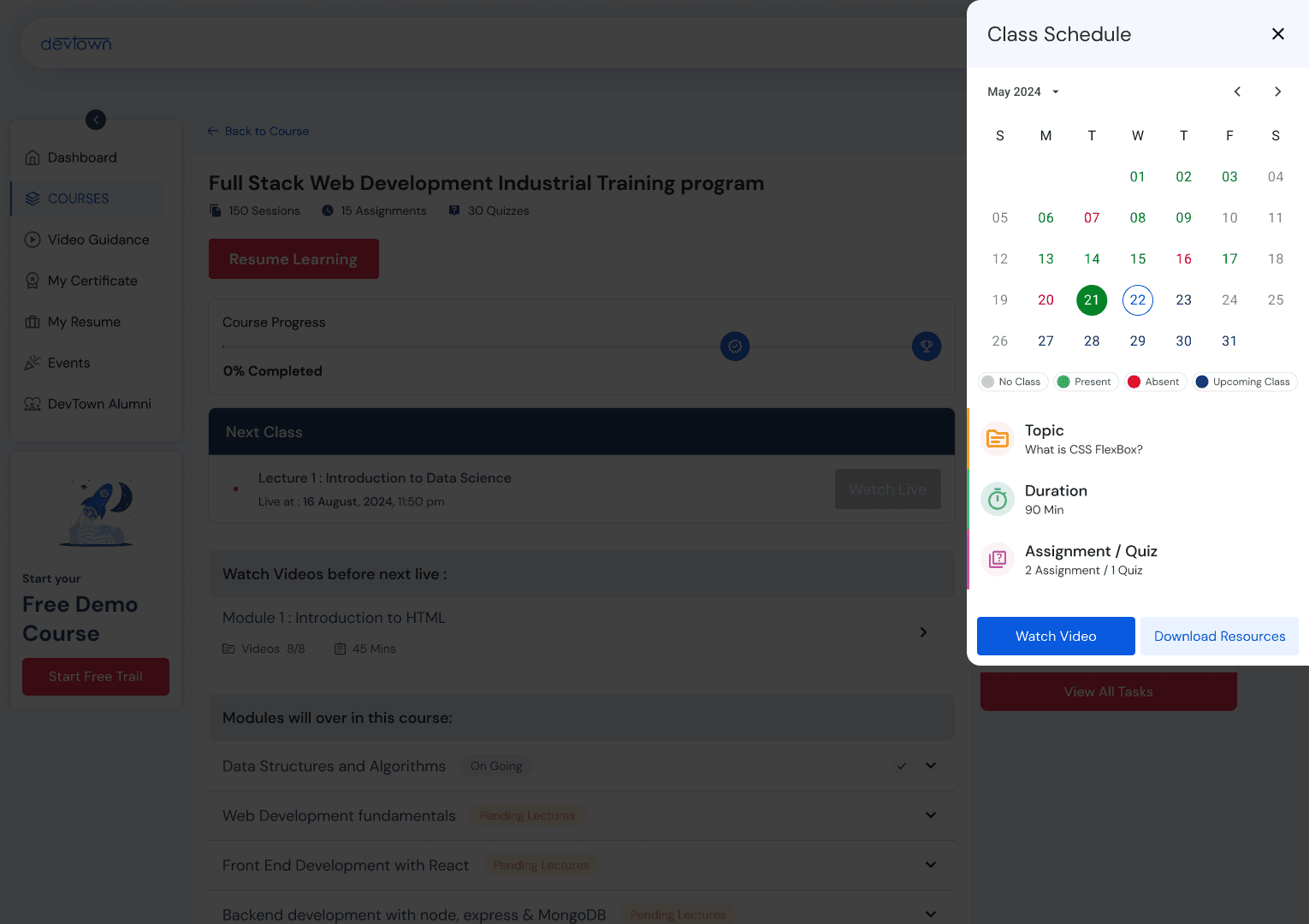
A user-friendly dashboard offering a consolidated view of enrolled courses, upcoming classes, progress tracking, and personalized notifications.
Doubt Resolution & Feedback
Raise Doubt
Chat Box
Feedback
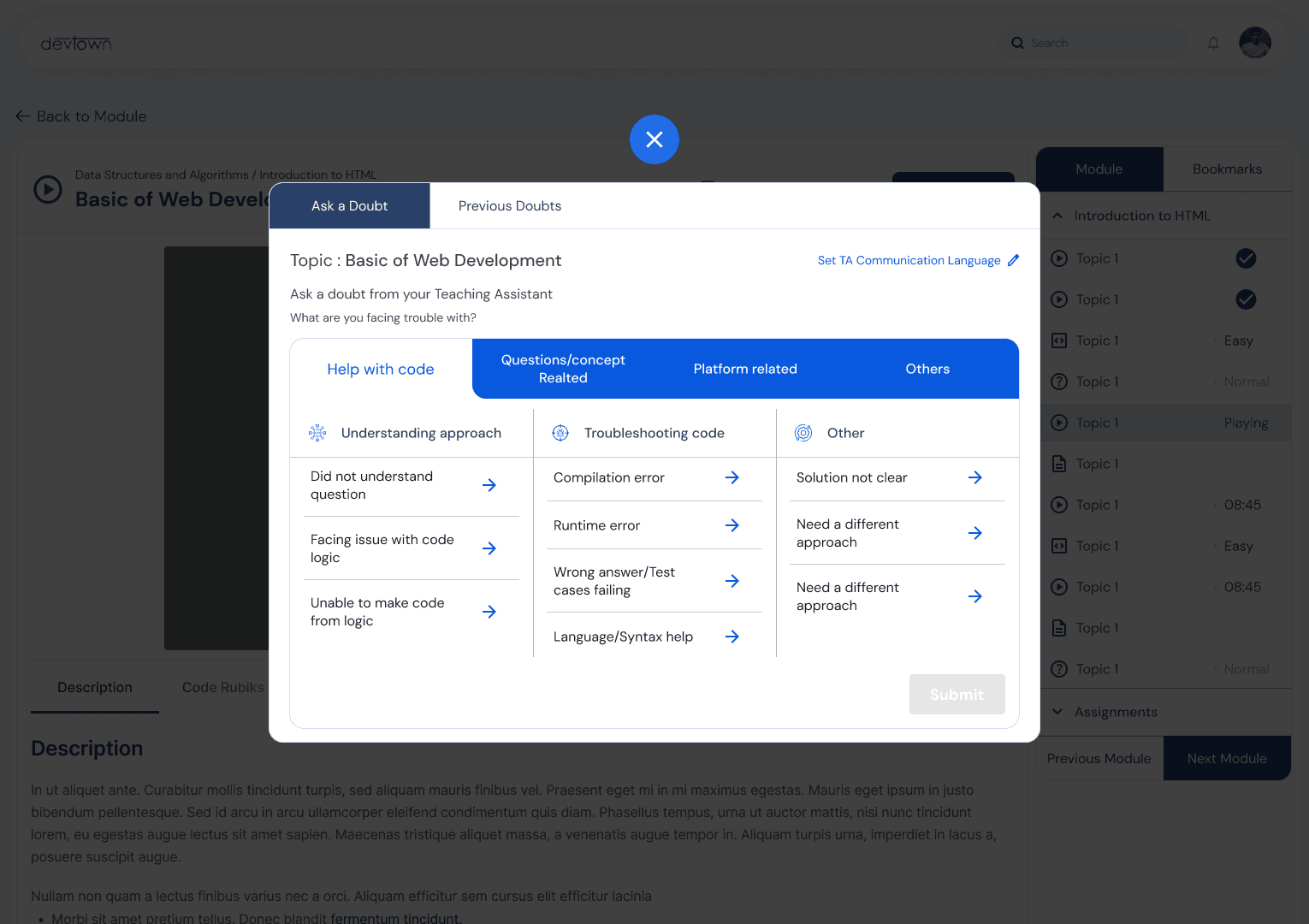
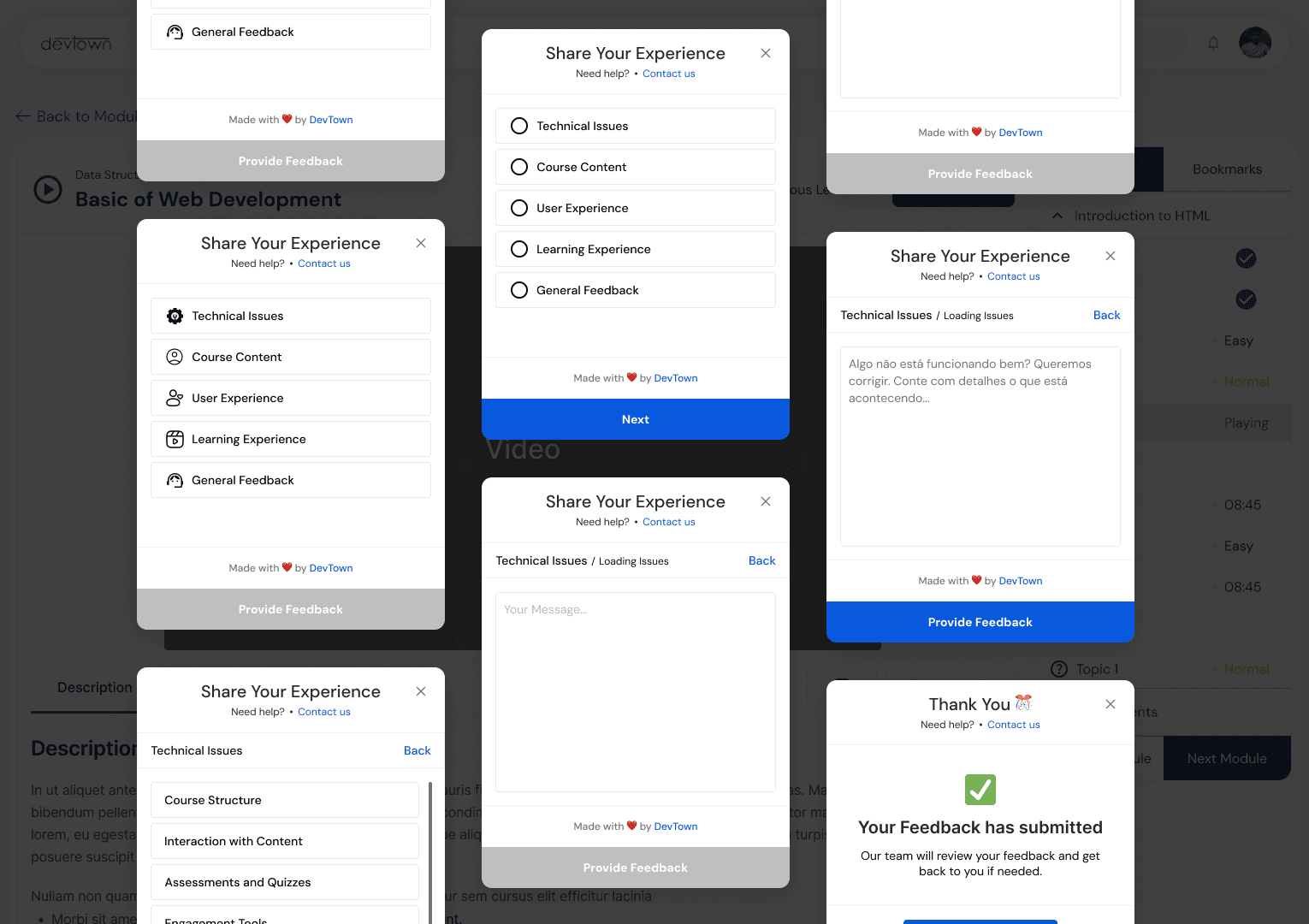
A dedicated space for doubt-solving with mentors or peers and feedback tools to improve the learning experience.
Engaging Learning Experience (Additional Features)
Quick Access Tools
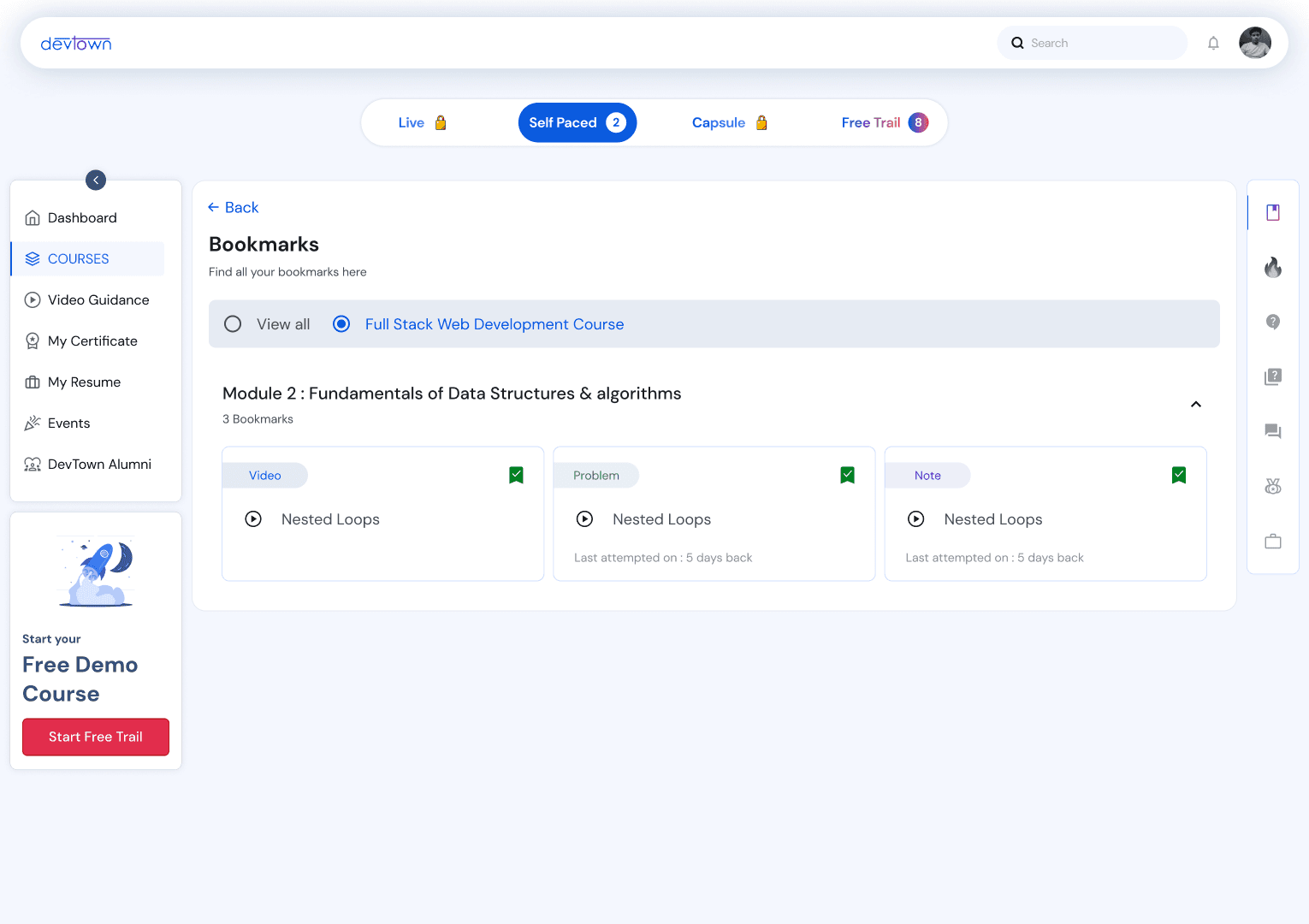
Bookmarks / Awards
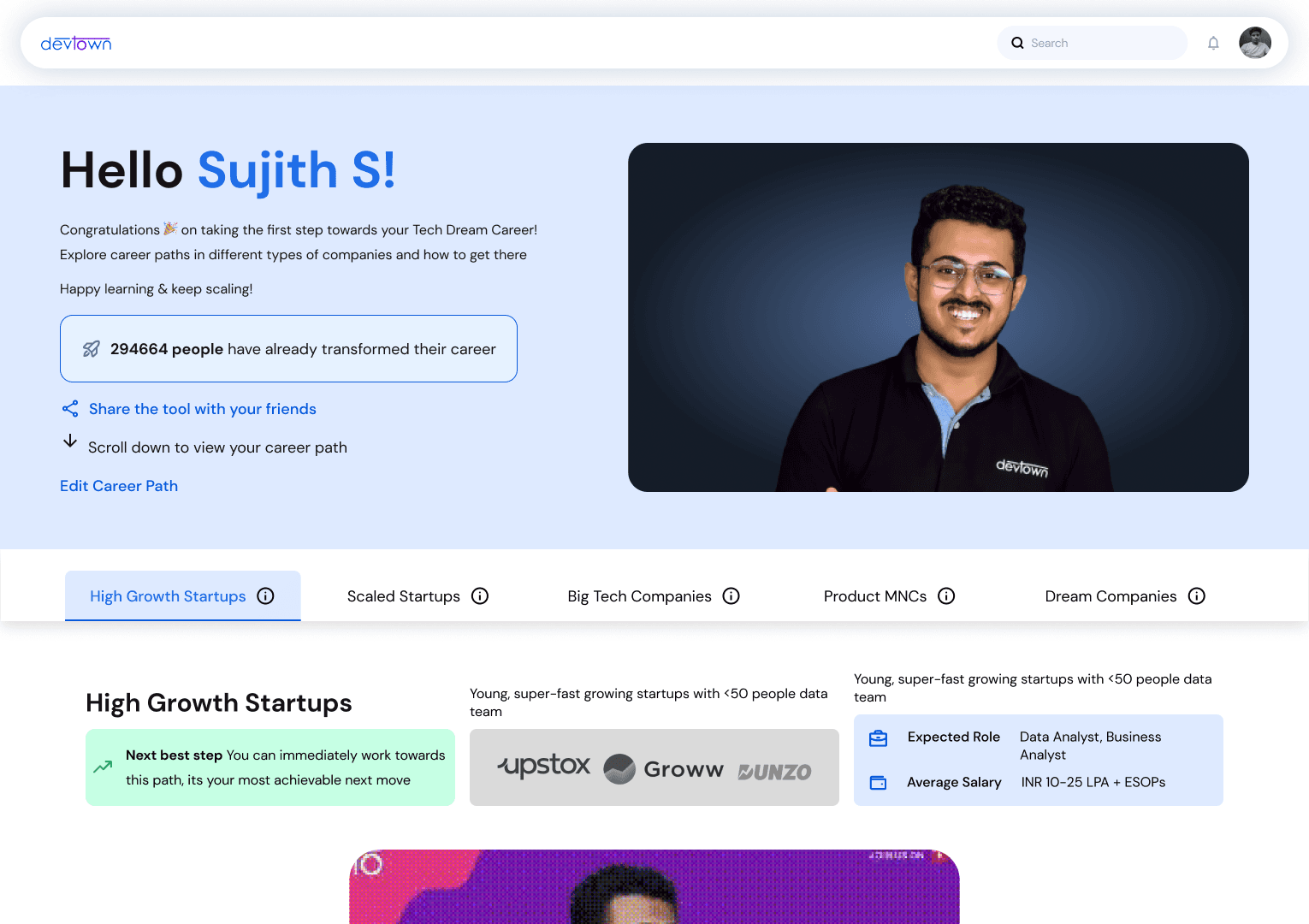
Personalized Roadmap
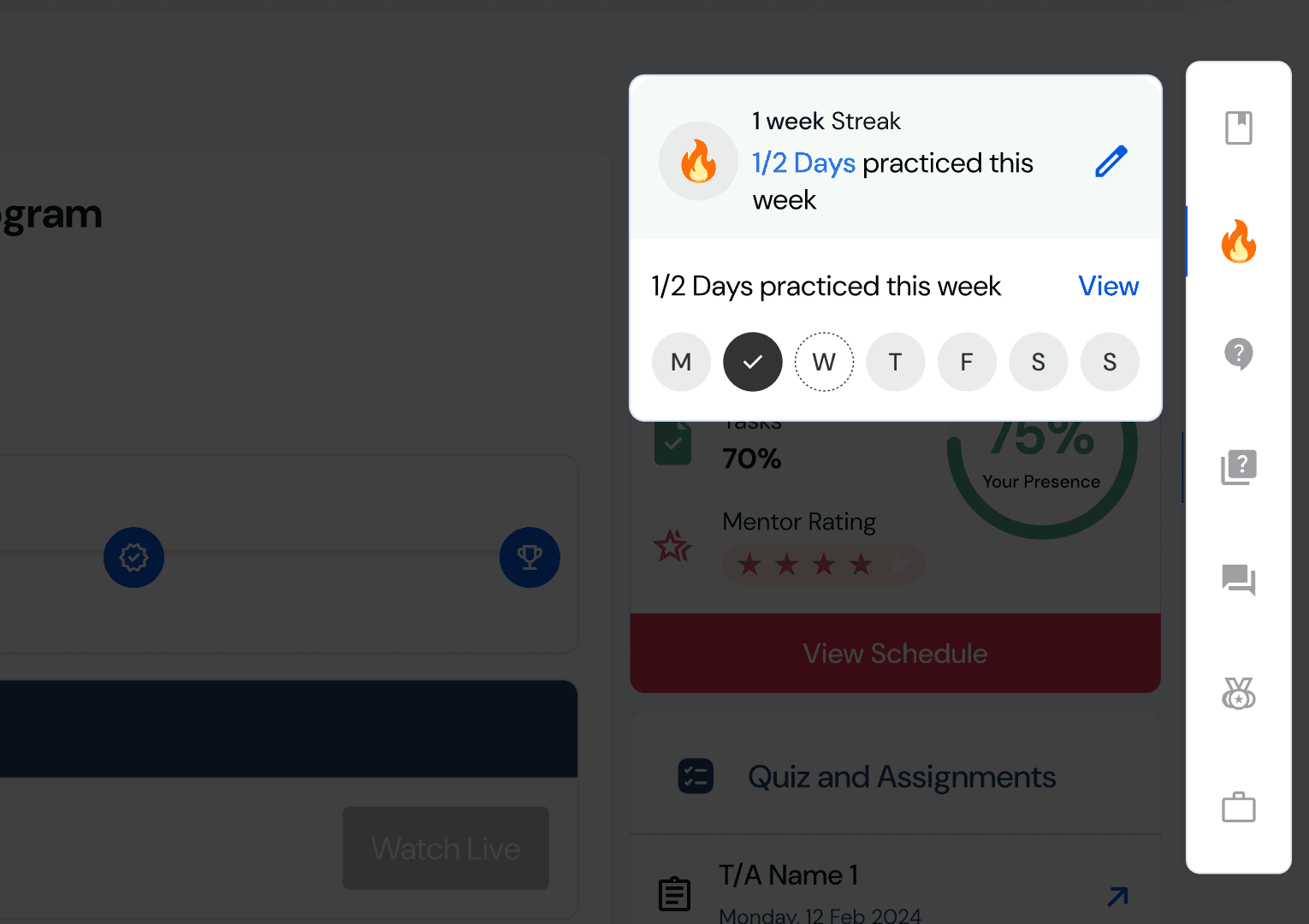
Gamification: Streaks, achievements, and rewards to boost learning consistency and motivation.
Skill Tests: Quizzes and assessments to evaluate and enhance progress effectively.
Bookmarks: Easy access to essential resources for streamlined learning.
Personalized Roadmap: Tailored learning paths created based on user goals and tracked progress for a customized experience.
Admin - Centric Features
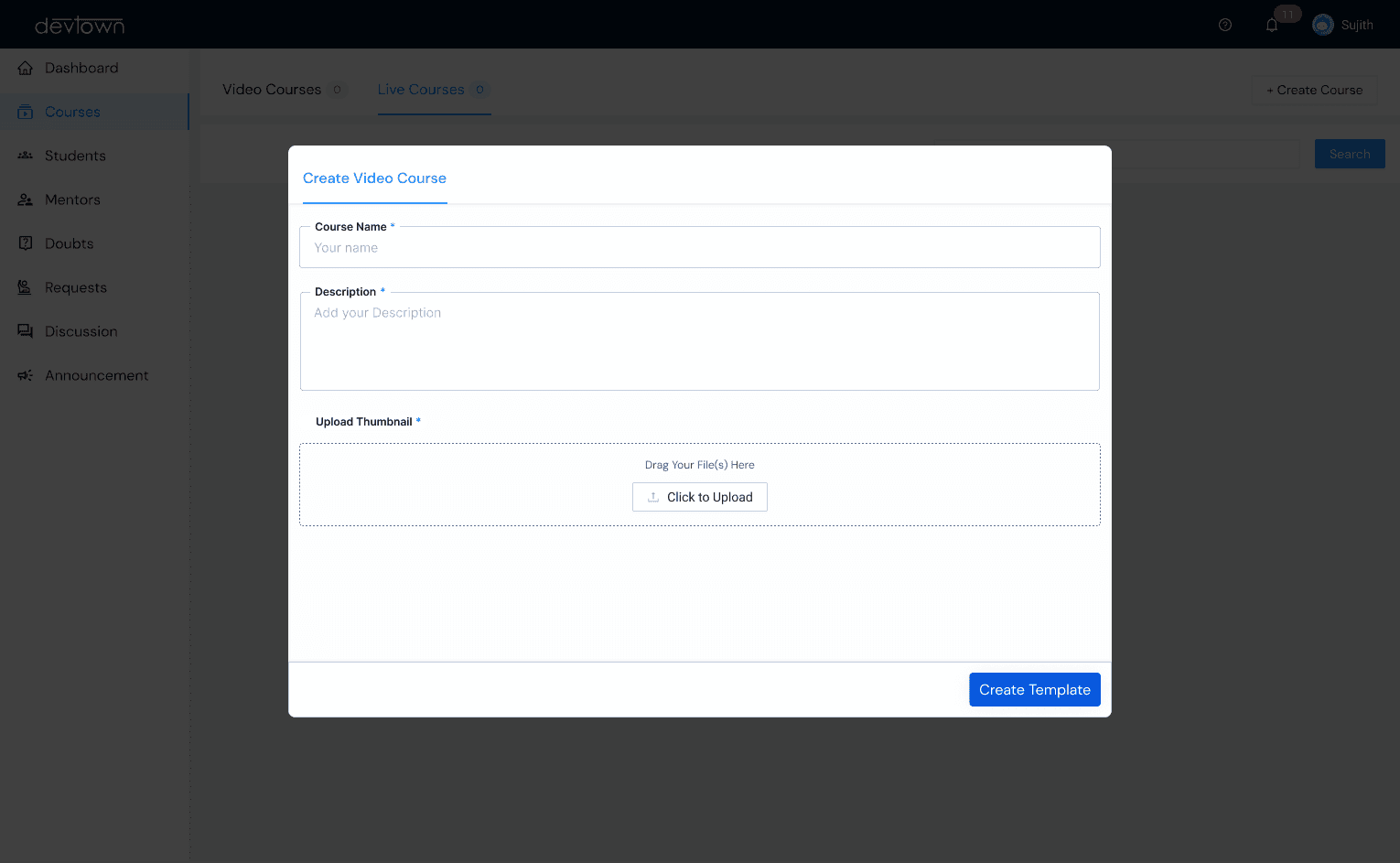
New Course Creation
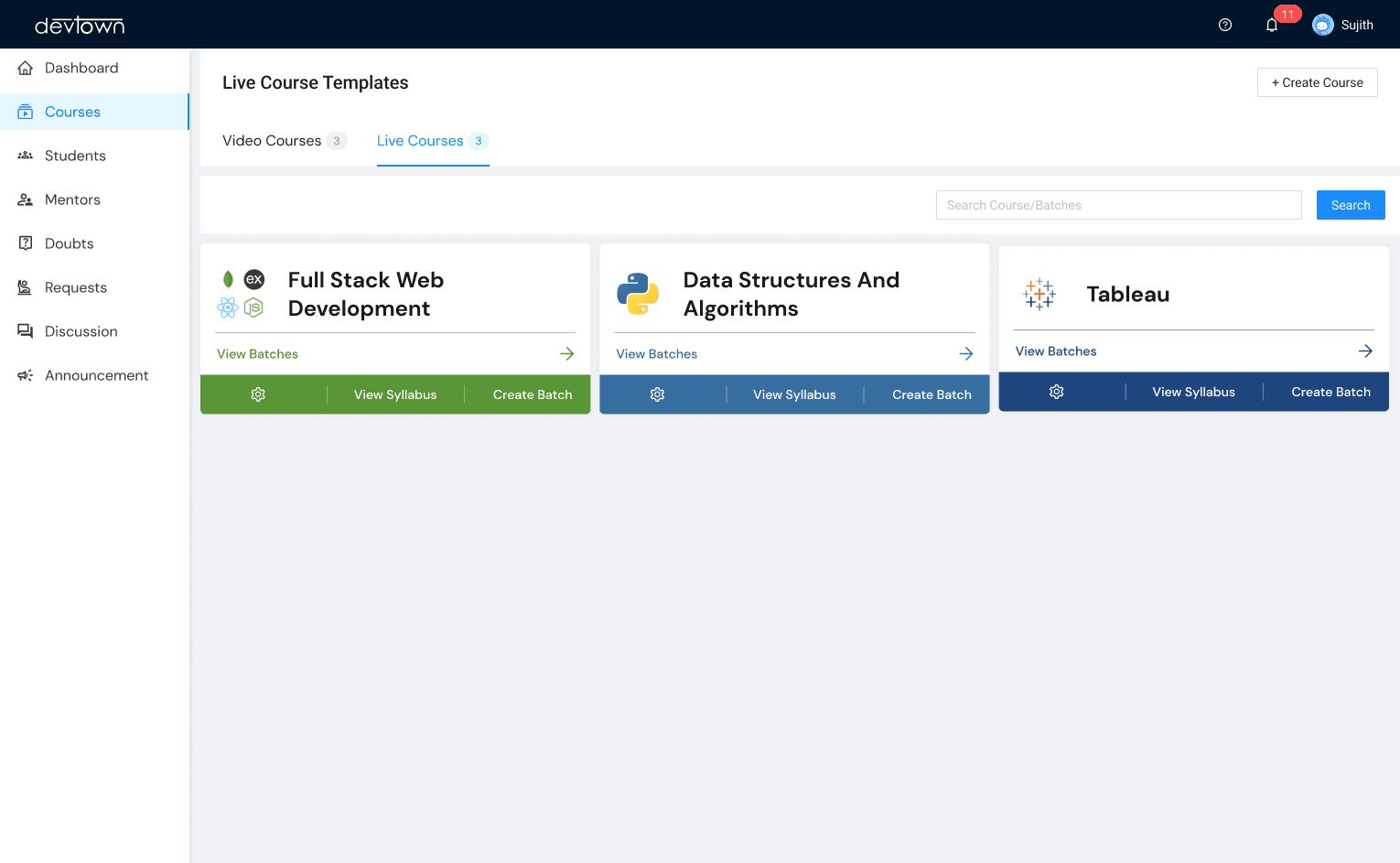
Created Courses
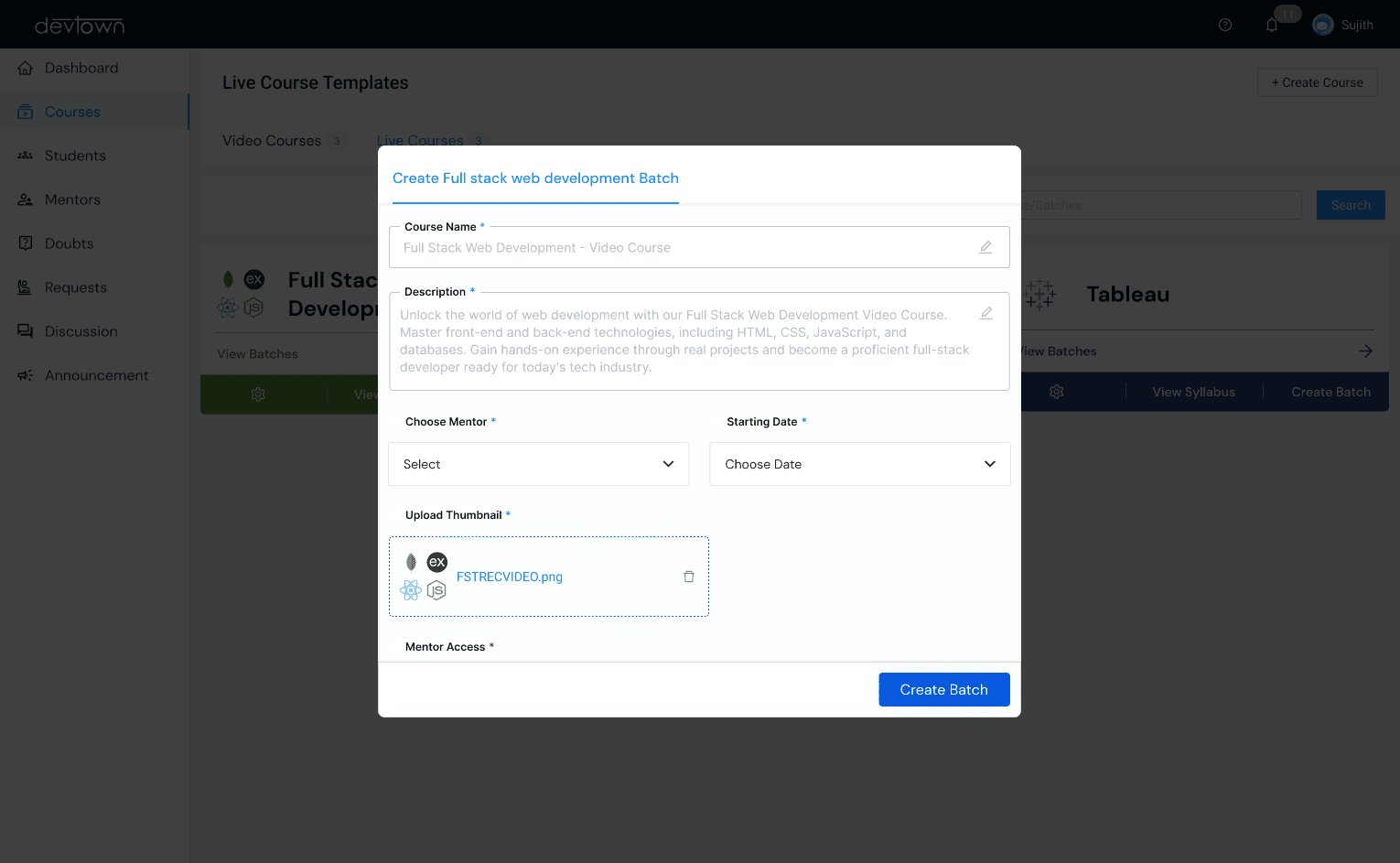
New Batch Creation
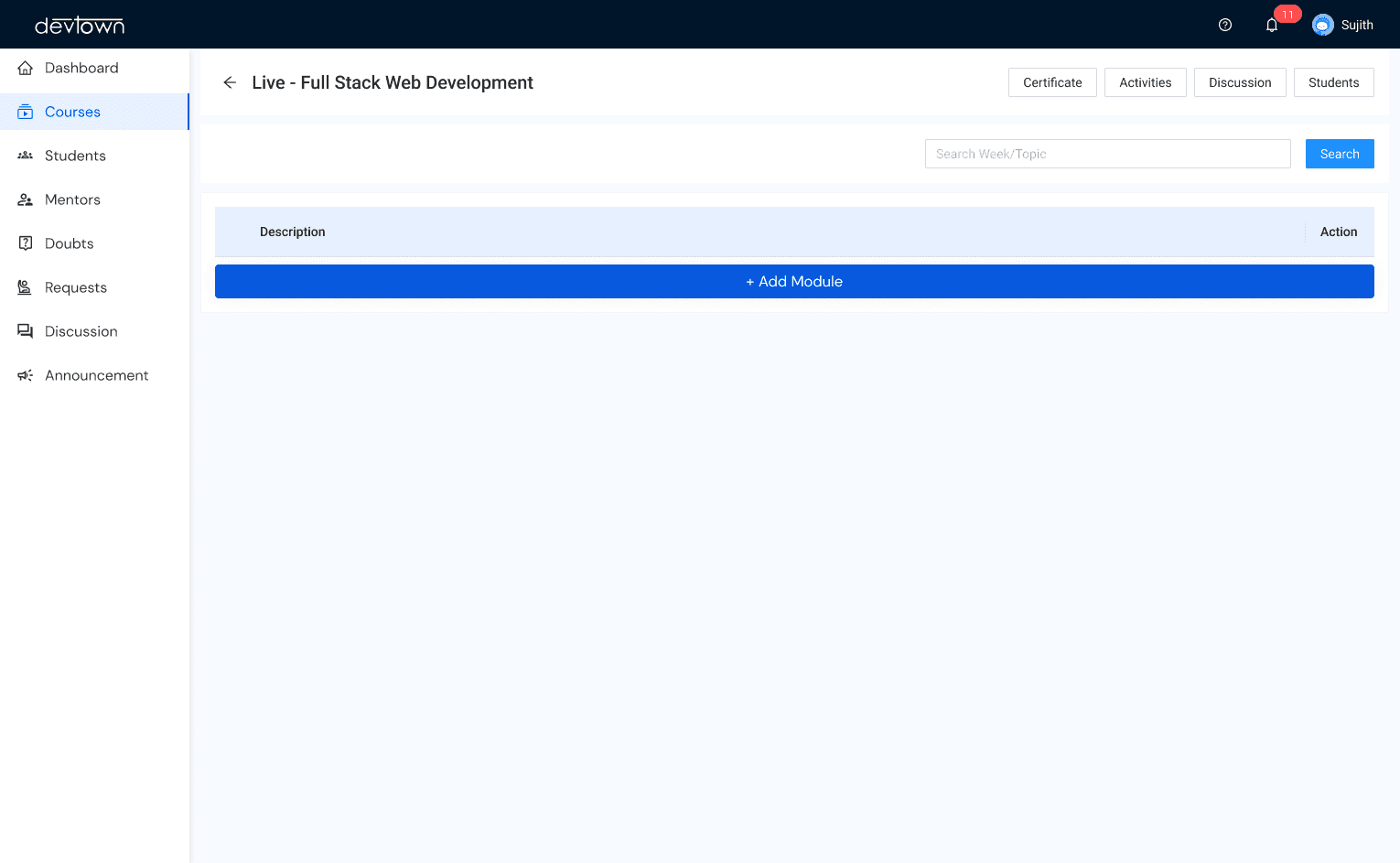
Create Syllabus
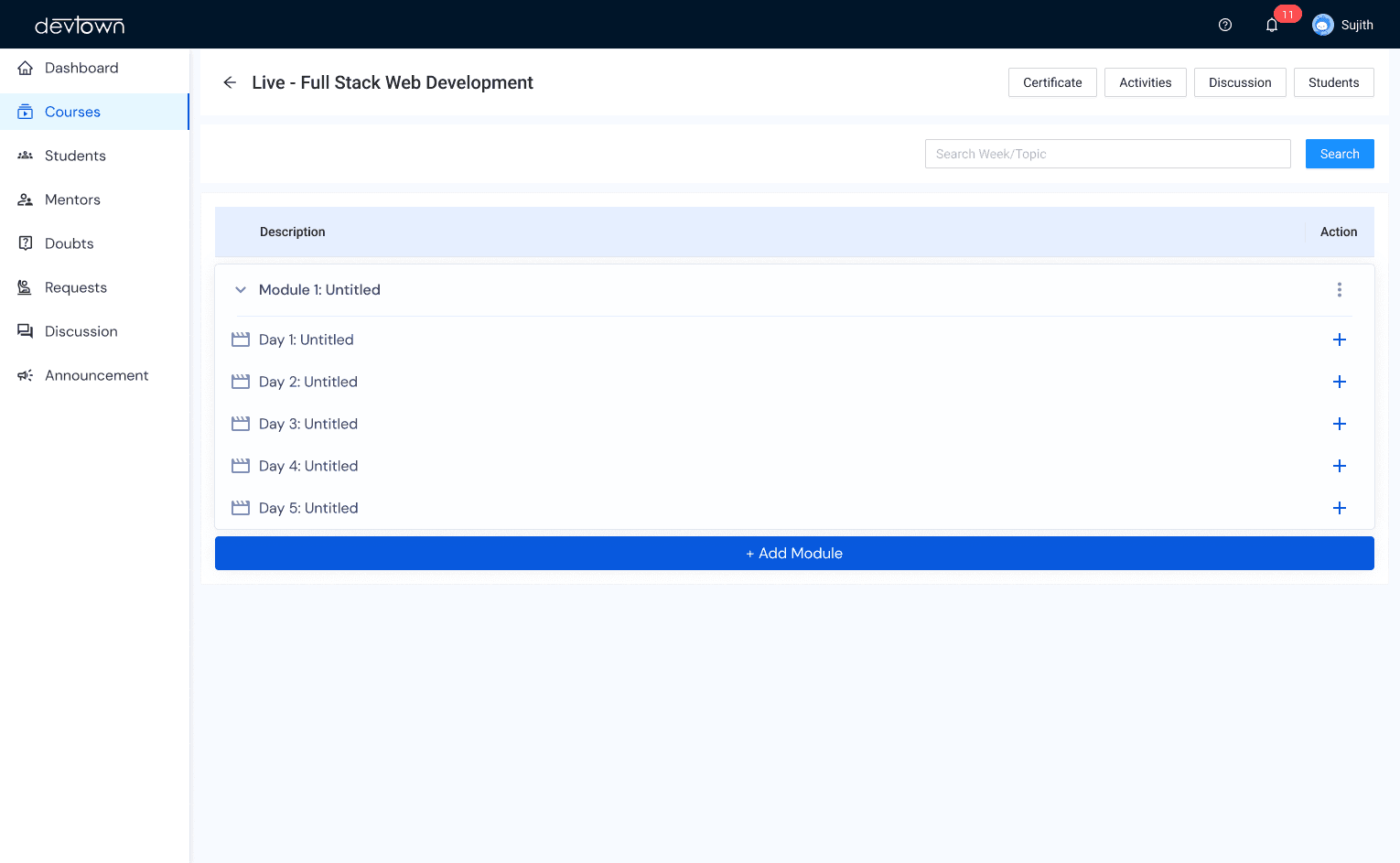
Module Management
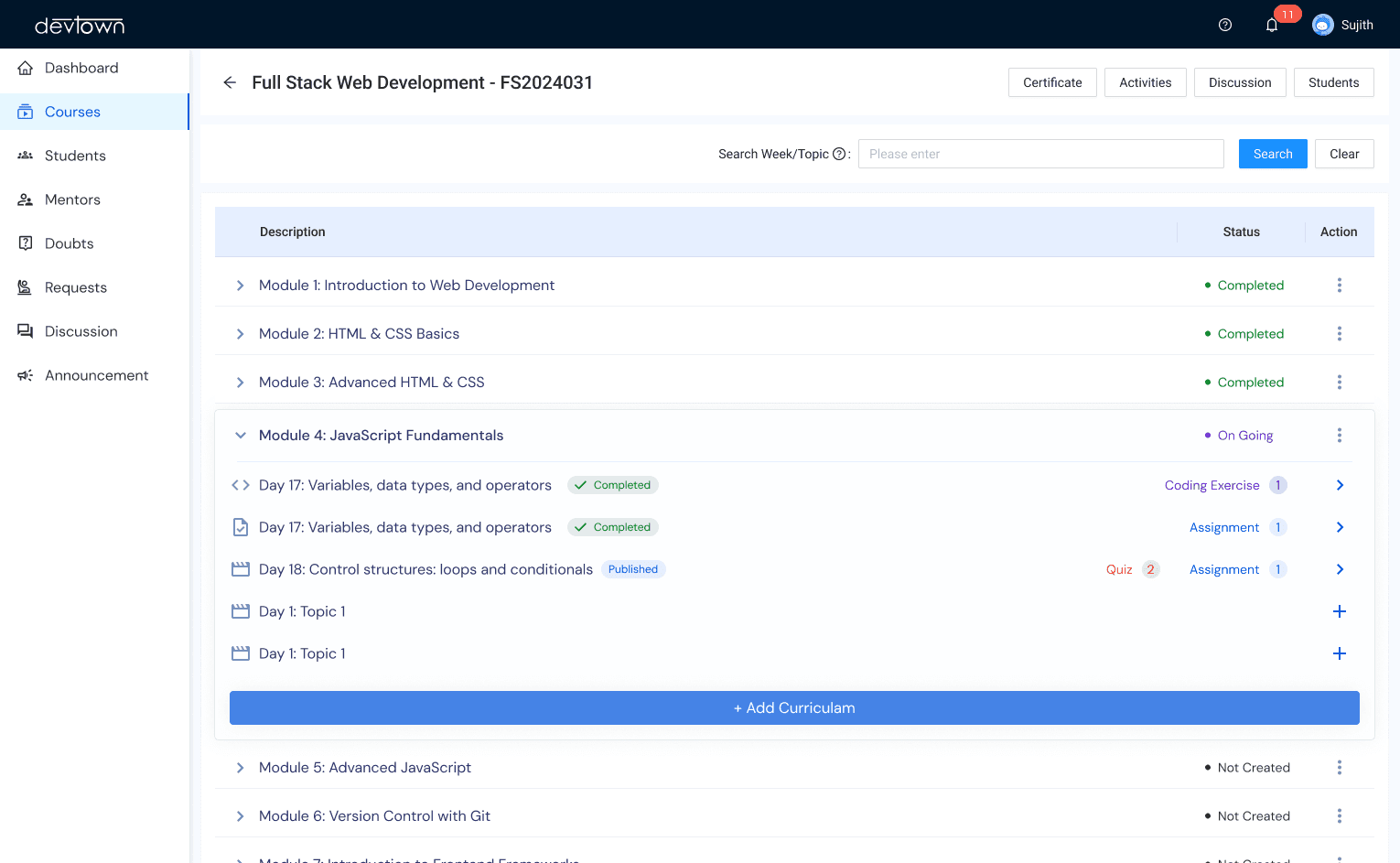
Manage Syllabus
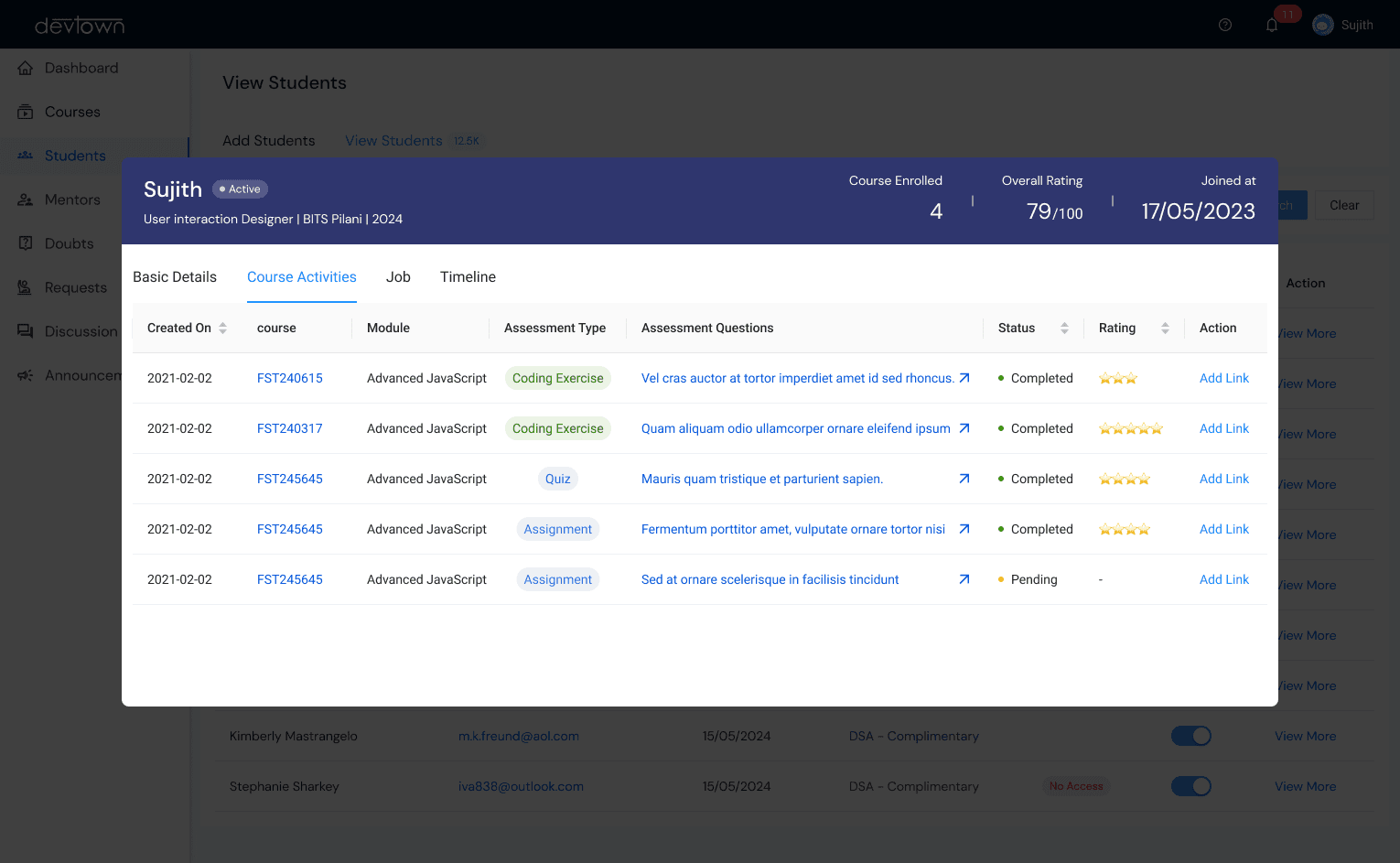
Student Database Overview
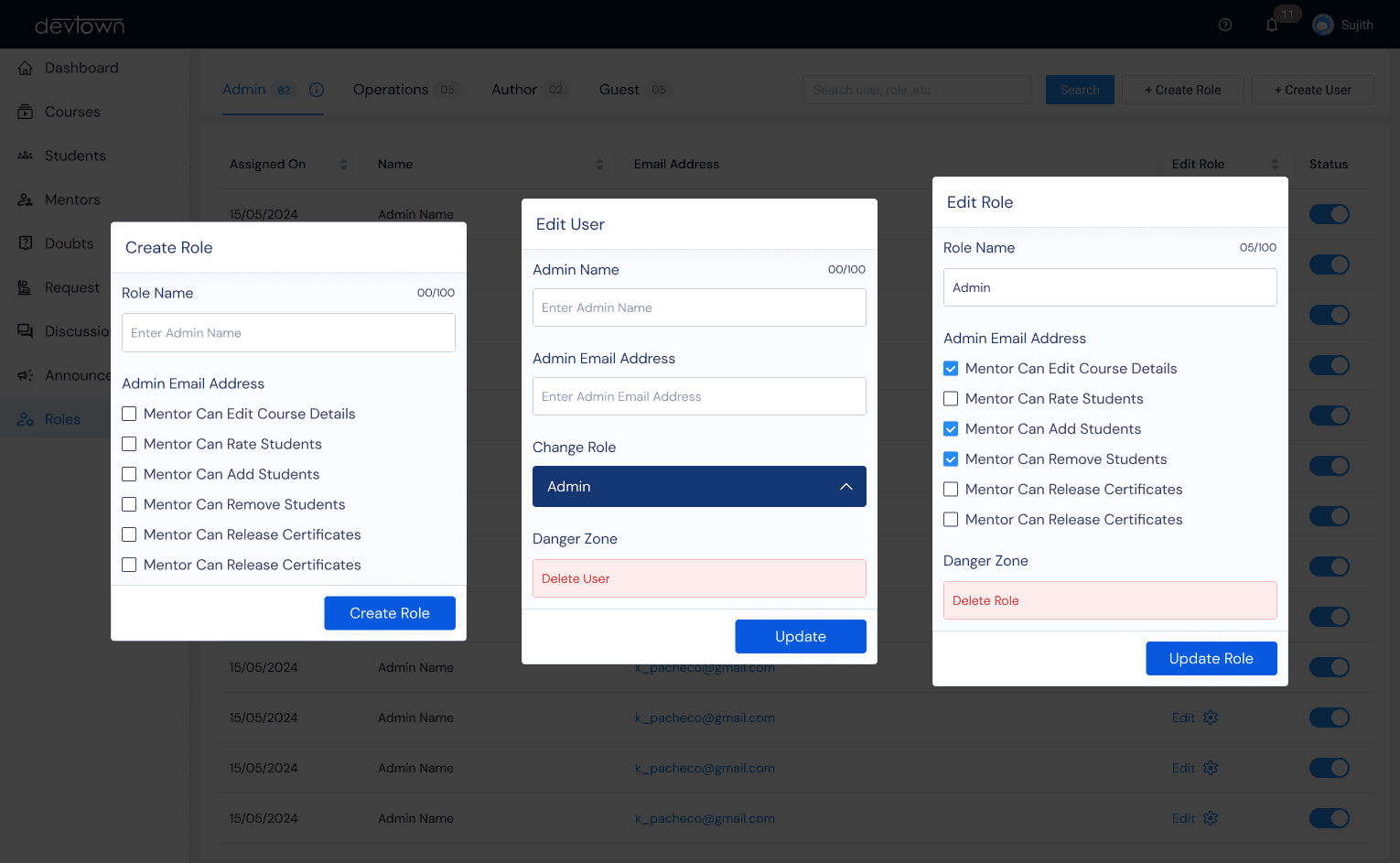
Role Management
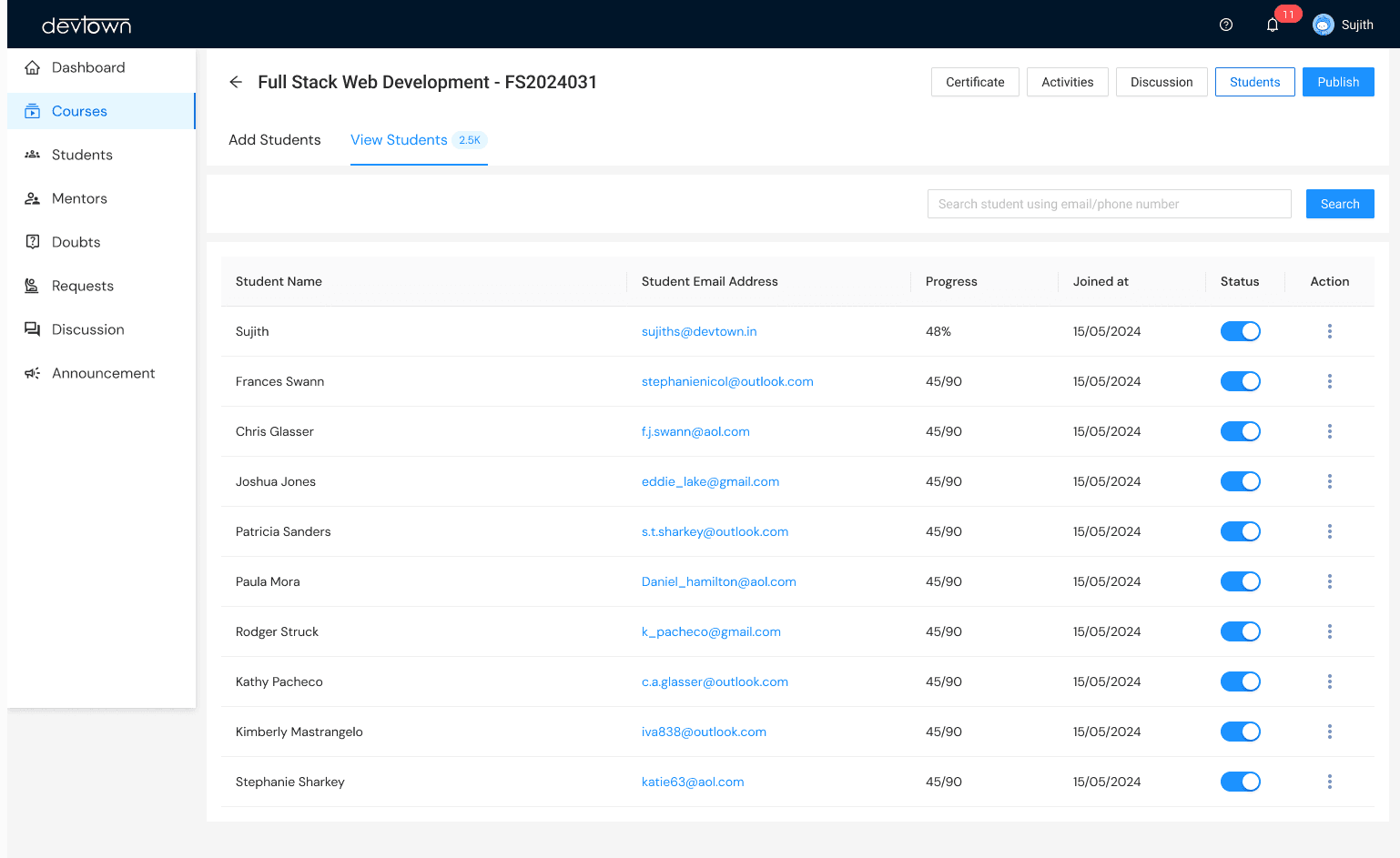
Student Management
For Admins
User & Role Management
Add, manage, or remove users (students and mentors) and assign roles with appropriate permissions. Role-Based Access Control
Course Creation & Monitoring End-to-end course management, from content creation to performance analytics. Streamlined Course Builder
Platform Insights & Support Tools Advanced reporting tools for platform usage and built-in support systems for issue resolution. Actionable Analytics with Support Features
Mentor - Centric Features
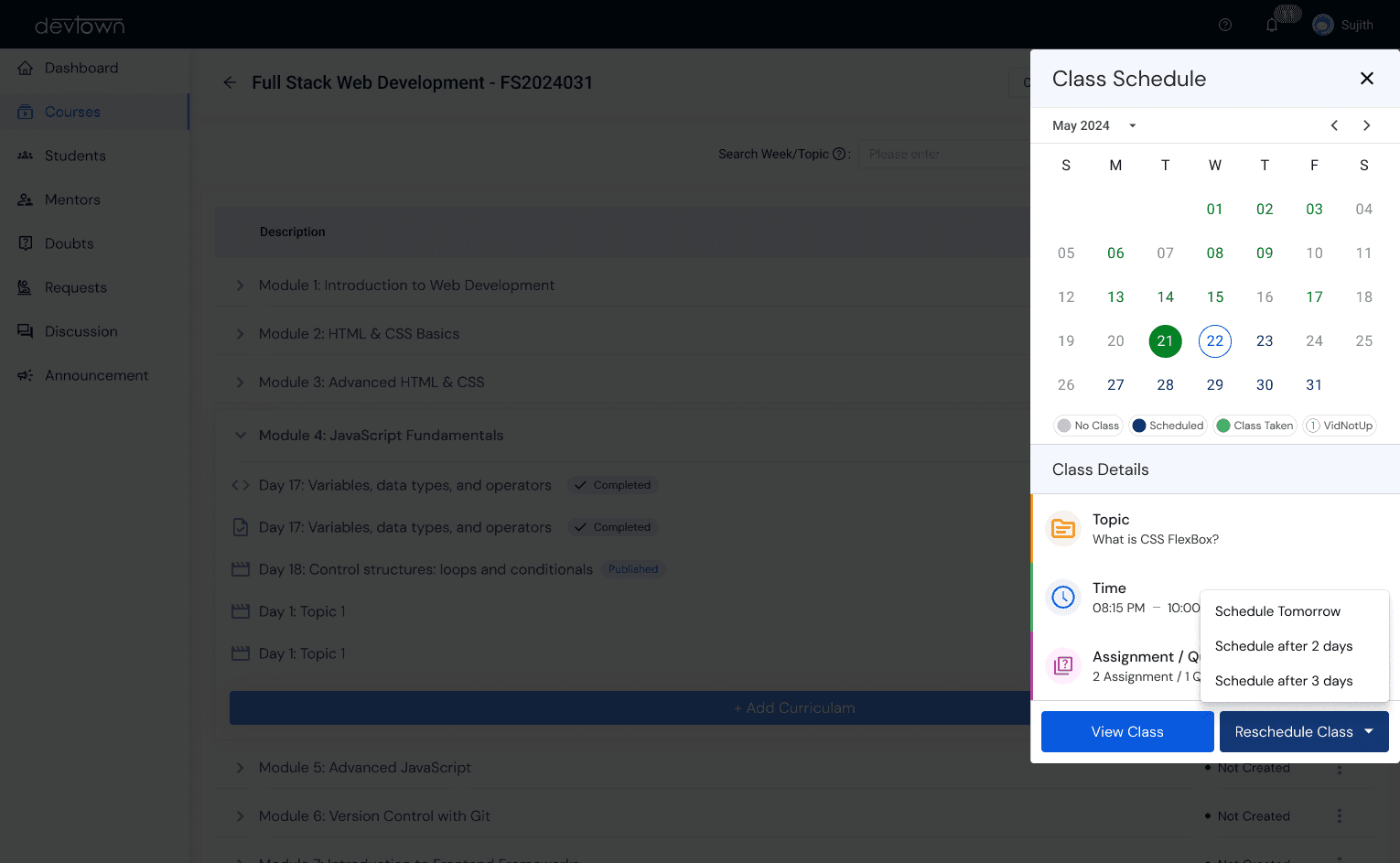
Manage Lecture
Manage Syllabus
Student Management
Student Management
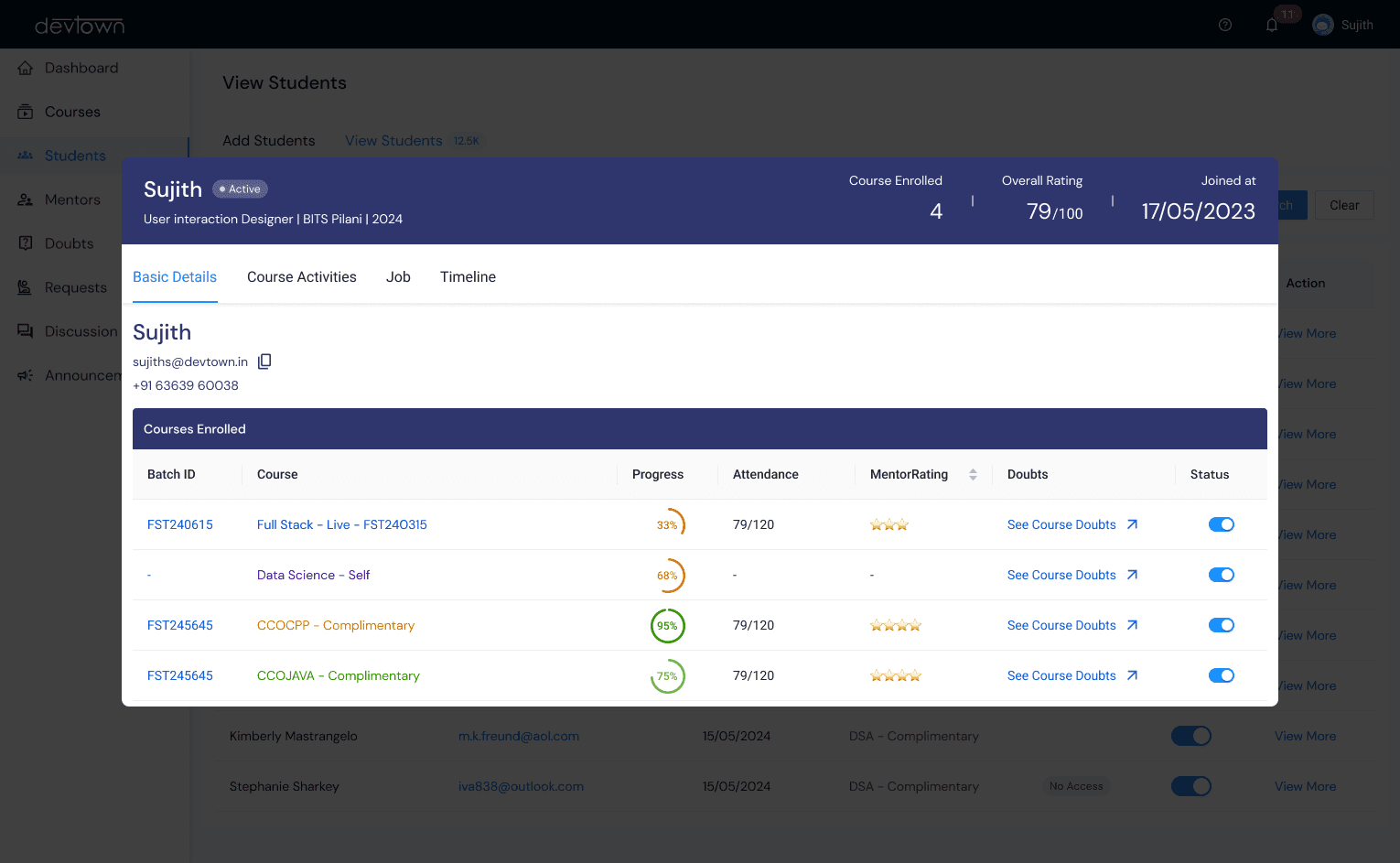
Student Progress Tracking
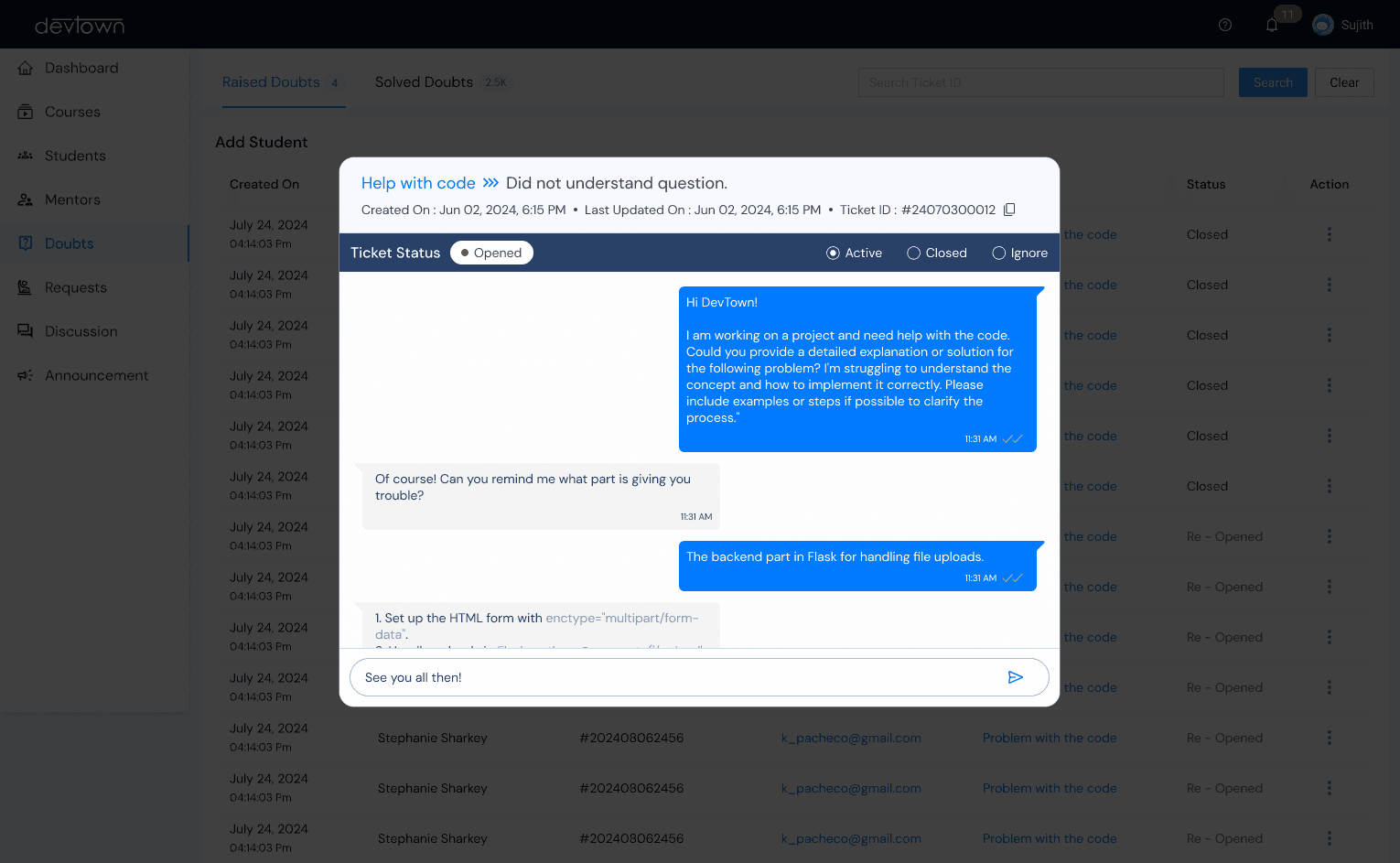
Doubt Solving
For Mentors
Course & Class Management Tools for creating and managing courses, scheduling classes, and assigning tasks like assignments, quizzes, and coding exercises. Comprehensive Mentor Tools
Student Progress Tracking Analytics to monitor student performance and provide targeted guidance. Insightful Tracking for Personalized Support
Communication & Collaboration Built-in messaging and discussion boards for seamless mentor-student interaction. Effective Interaction Channels
Key Impacts of the LMS Implementation
Increased Student Engagement:
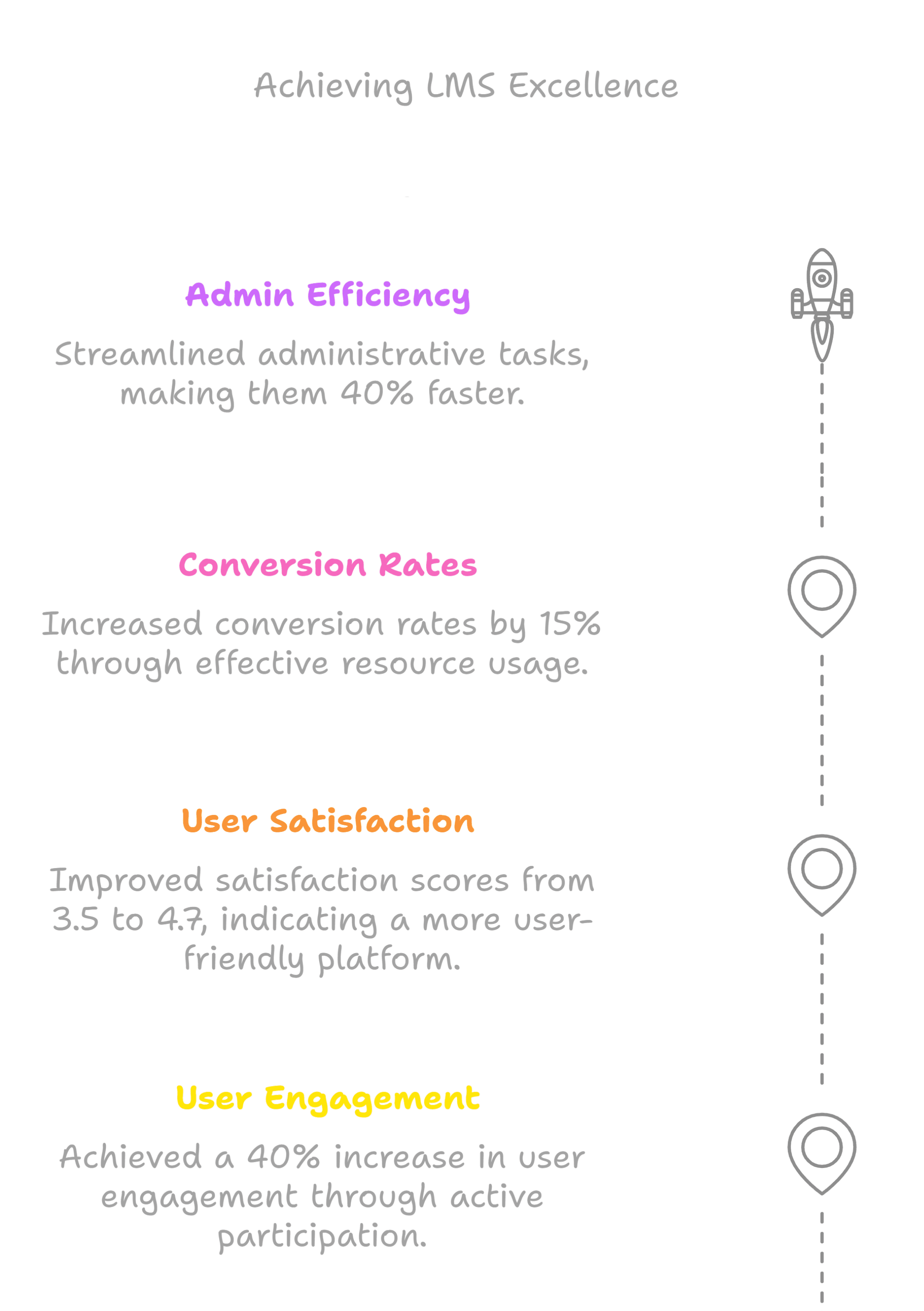
Active participation in learning activities rose by 35%.
Course completion rates improved by 25%.
Retention rates maintained at 90% for active users.
Enhanced Mentor Efficiency:
Administrative tasks reduced by 80%, allowing mentors to focus on teaching.
Assignment creation and scheduling efforts dropped by 50%.
Streamlined Administrative Operations:
Workflow efficiency improved by 40%, minimizing bottlenecks.
Automation saved admins 2+ hours daily in tasks like course approvals and role management.
Boosted Non-Enrolled Student Conversions:
Conversion rates increased by 20% due to engaging free resources and webinars.
Free resource usage rose by 30%, aiding in decision-making for potential enrollees.
Scalability and Growth:
Over 15+ courses launched, catering to diverse needs and preparing the platform for future scalability.
Conclusion
This LMS project represents a milestone in delivering an intuitive and efficient platform for students, mentors, and administrators. By addressing user pain points, simplifying processes, and integrating innovative features, the system fosters engagement, collaboration, and productivity. The outcome not only reflects the power of user-centric design but also lays a solid foundation for scaling and adapting to future educational needs.
Thanks for reading!